I have spent more than 24 years in golf operations, and I can tell you what a busy Saturday does to a weak point of sale. The tee sheet is full, a walk-up foursome is at the counter, a member wants to charge a guest’s green fee, the snack bar is trying to open a tab, and someone is already asking about a rain check.
If your golf course POS system cannot handle that sequence without a workaround, you will lose time at the counter and trust in the reports later. This is not a feature tour of Eagle Club Systems’ golf course POS. It is the checklist I wish every head professional and general manager would bring to a demo. Use it on any vendor. If we cannot pass it, you should not buy from us either.
Picture a Saturday at 7:40 a.m. at a busy public course. A foursome is at the counter: one player prepaid online, one is a member charging to a house account, and two want to split a cart and a range bucket. The cashier is flipping between the tee sheet and a generic register, retyping names, while the next group is already in line.
Why a generic register fails on a golf course
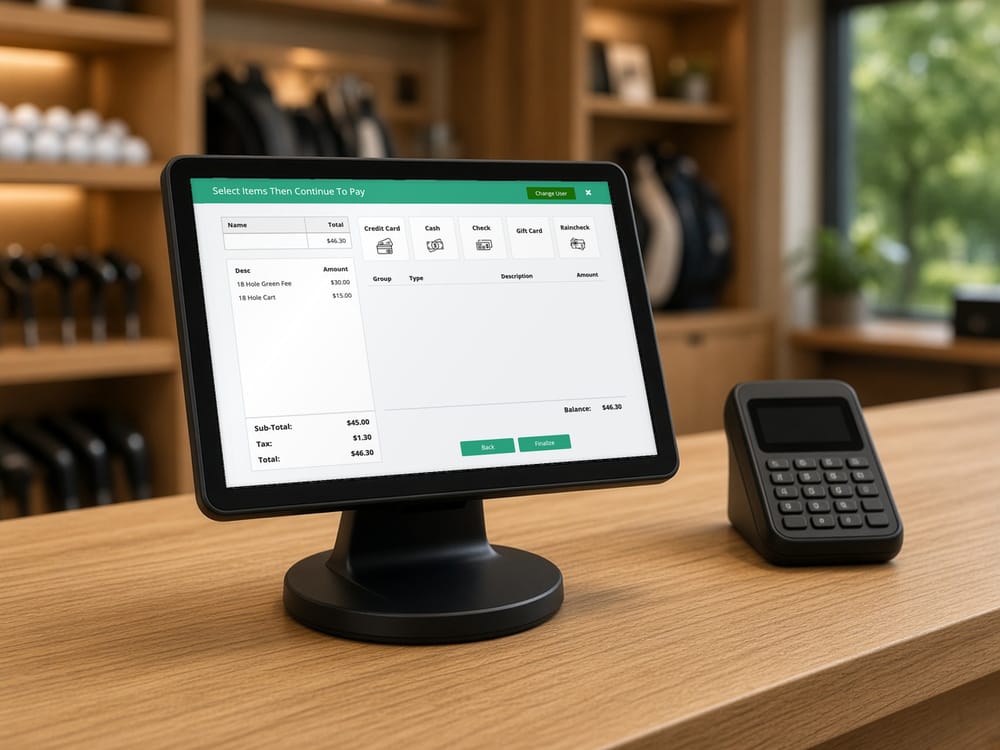
A grocery store rings SKUs and takes a card. A golf shop does that too, but it also has to pull the right green fee from the tee sheet, charge the correct member or guest, split a ticket, start a restaurant or beverage-cart tab for the same person, issue a rain check that still makes sense in the report, and keep inventory, tax, and the end-of-day close in agreement.
If the POS is a separate retail system that only “integrates” overnight, your staff becomes the integration. They retype names, guess at member numbers, and spend the evening trying to make the Z-out match the bank.
What a golf course POS system has to do before 8 a.m. Saturday
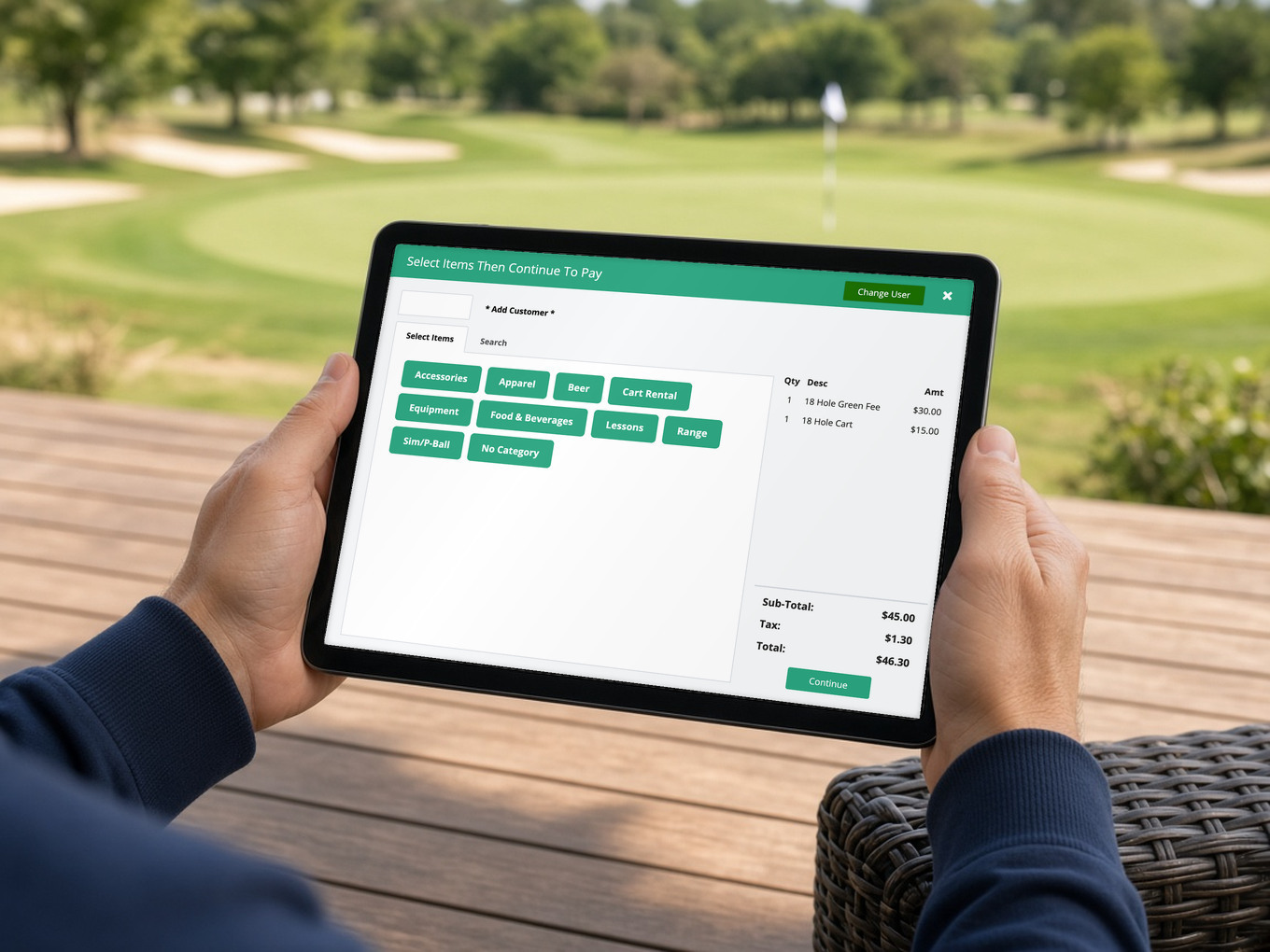
Start with one rule: the person at the counter should not have to open a second program to finish a normal sale. The golfer who booked online, the walk-up who paid cash, and the member who charged a breakfast sandwich should all live on one customer record — the same record the tee sheet, shop, and restaurant already use. If a vendor cannot show that on a live screen, the rest of the demo is decoration.
The buying criteria that actually matter
One customer account across the shop, restaurant, and course
Ask to see a single golfer who has a tee time, a shop purchase, a food and beverage tab, and — if you have members — a house-account charge. Then ask for the statement. You want one name, one balance, one history. This is where a lot of “connected” platforms come apart. Some products keep golf, retail, and restaurant in separate applications that sync later. That is not fine when a member is at the counter asking why yesterday’s lunch is not on the account yet.
Check-in and checkout on the same record as the tee sheet
Have the vendor start with a booked tee time, check the group in, and ring the green fees and carts without re-entering names. Then add a walk-up to an open time and do the same thing. If rates, player types, or prepaid versus pay-at-course flags do not follow the booking, your staff will fix it by hand all season.
The transactions your staff already do
A golf POS has to be good at the messy tickets, not just the clean ones. In the demo, require:
- Split tenders
- Tabs, returns, and refunds
- Gift cards, house accounts, and club credit
- Rain checks or credits
- Member pricing and guest charges on the same ticket
If the trainer says, “We can set that up later,” write it down and make them do it before you sign.
Payments at the counter and on the course
You should be able to take a card in the shop and, if you want it, on the patio or the course. In Eagle Club Systems, CardPointe is available as an integrated processor, and Clover Flex is supported for mobile payments. You are not required to use CardPointe; courses may use another processor on a non-integrated basis. Confirm the devices, fees, and payout reports in writing. A handheld reader only helps if the sale hits the same close as the register.
Mike Pollick at Fallen Timbers Fairways Golf Course in Waterville, Ohio, has said the mobile credit card machines were a game changer for accepting Apple Pay and tap payments on the course. That is the test: can a starter or beverage cart take a real payment without creating a second set of books?
Inventory and reporting that match the close
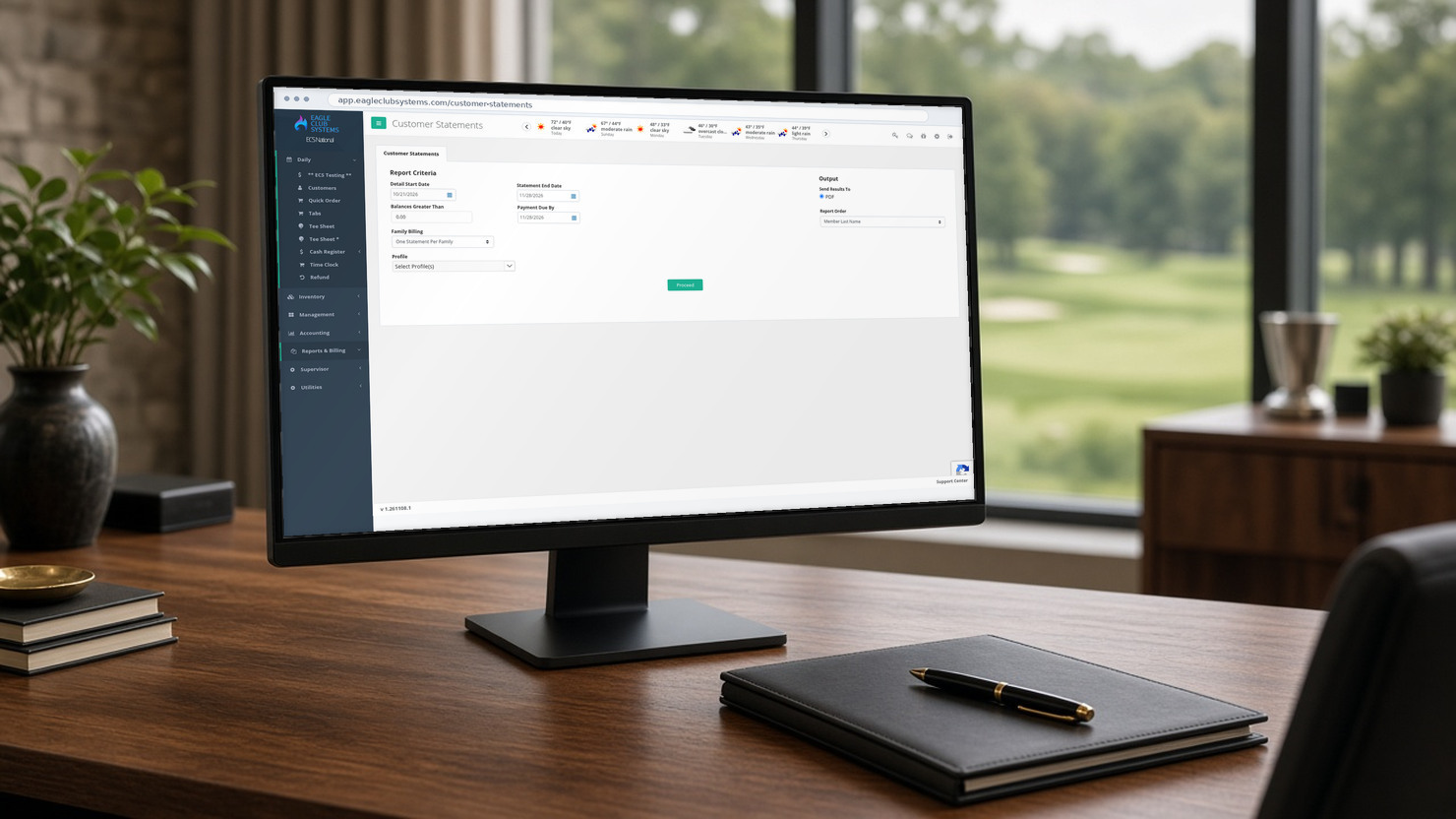
Merchandise and food only help you if the count and the cash agree. Ask how receiving and low-stock alerts work, and how a rain check or a comp’d sleeve of balls shows up in the report. Then ask to see a payment, tax, gratuity, and Z-out report from a sample day — the kind of report you would send to accounting.
Eagle Club Systems integrates with QuickBooks Online, QuickBooks Desktop, and Sage 50. Many reports can also be exported. The question is not whether a CSV exists. The question is whether your controller would trust it.
The demo checklist: 12 things to make the vendor do live
Make the vendor click through these on a live screen, not in a recorded video:
- Start from a live tee time and check in a foursome without retyping names.
- Add a walk-up to an open slot and charge the correct rate.
- Sell a green fee and a shop item on one ticket.
- Split that ticket between two payment types (for example, card and gift card, or member charge and cash).
- Charge a member account, including a guest on that member’s ticket.
- Open a food and beverage tab for the same customer and send a kitchen ticket.
- Close or transfer that tab and show it on the customer’s activity.
- Process a return and a rain check or credit.
- Take a payment on a mobile device and show it in the same day’s reporting.
- Ring an item that should decrement inventory, then show the on-hand quantity.
- Run the end-of-day close: payments, tax, gratuity, and Z-out.
- Export or display a report your bookkeeper would actually use.
If a step fails or needs workarounds, that is your answer. Pretty dashboards will not fix a slow counter.
Questions to ask about hardware, processors, and contracts
Software is only half of a golf course point of sale. Before you compare prices, ask:
- What hardware can we keep? Eagle Club Systems is browser-based and works on common Windows and Mac desktops, laptops, and tablets in Chrome, Safari, Edge, or Firefox. Receipt and kitchen printers can use USB, Bluetooth, or Ethernet, depending on the workstation. Confirm the setup in the demo.
- What happens if the internet drops? We are cloud-based and cannot run fully offline. A mobile hotspot or LTE backup can keep the shop open if the primary connection fails. Ask every vendor the same question, and make them show you.
- Are we locked into one processor or a long contract? We do not require every course to use our integrated processor, and we state that there are no long-term contracts. Get that in the proposal.
- Who trains the Saturday staff, and who picks up the phone in season? Our support is U.S.-based, seven days a week, typically 6 a.m. to 10 p.m. We do not claim 24/7 coverage. Ask each vendor for real hours, not a slogan.
Keith Weachter, PGA, at Stone Creek Golf Club in Valdosta, Georgia, has said his staff loves the ease of use and that support is open to suggestions. Darrel Conner, PGA, at Cambridge Golf Course in Evansville, Indiana, has said Eagle Club was the first POS that “does it all” — fast reports, easy navigation, and support that cares. Those comments help, but they should not replace your own live test.
How Eagle Club Systems approaches a golf POS
I built this company so a golf shop could run the counter, the course, and the restaurant from one platform. The POS is connected to the tee sheet, membership billing, inventory, food and beverage, payments, and reporting.
A few honest limits: Eagle Club Systems does not include a native online store (gift cards and memberships can be sold online through integrated card processing), and tournaments and leagues run through Golf Outing Guru and Golf League Guru alongside the tee sheet. Implementation and data conversion are included at no charge, and most courses go live in under two weeks after data is provided. Pricing is not a self-serve table. Book a demo with your hardware list, a payment statement, and a Saturday ticket, and we will run all 12 tests live.
FAQ
What is a golf course POS system?
A golf course POS system is point of sale software built for golf operations. It should handle pro shop and food and beverage sales, member charges, gift cards, split tenders, and payments, and it should connect to the tee sheet, inventory, and reporting.
Does a golf POS need to connect to the tee sheet?
Yes, if you want check-in and checkout to stay accurate on a busy day. When the register and the tee sheet are separate, staff retype names and rates drift. In Eagle Club Systems, the golf POS and the tee sheet share the same customer record.
Can a golf course POS system also run the restaurant and beverage cart?
It should. If the shop and the grill use different systems, you will reconcile by hand. Eagle Club Systems includes food and beverage POS for the restaurant, bar, snack bar, and beverage cart, with tabs, kitchen printing, tips, and member charging on the same customer account.
Do we have to buy new hardware or use a required payment processor?
Not necessarily. Eagle Club Systems runs in a modern browser on common Windows and Mac hardware. CardPointe is an integrated option, and Clover Flex is supported for mobile payments, but courses may use another processor on a non-integrated basis.
What should we test in a golf POS demo?
Have the vendor check in a foursome from the tee sheet, split a tender, charge a member, open an F&B tab, issue a rain check, take a mobile payment, and run the end-of-day close. If those steps are slow or incomplete, keep looking.
How do we see Eagle Club Systems handle these transactions?
Book a demo, call +1 727-433-8707, or email info@eagleclubsystems.com. Bring your hardware list, a payment statement, and a typical Saturday ticket.