A simulator bay can stay booked from 5:00 p.m. to close and still leave you wondering where the money went. That usually happens when reservations live in one system, food and beverage in another, memberships in a spreadsheet, and the night audit is a pile of exports.
I have spent more than 24 years in golf operations, and indoor golf is not a generic entertainment venue with a launch monitor in the corner. You are selling time, recurring play, lessons, events, memberships, retail, and often a full bar. Peak demand hits on weeknights. Walk-ins show up while a league is mid-round. A member expects their package to be recognized without a debate at the desk.
That mix is why golf simulator business software has to be golf operations software, not a patchwork of a generic booking widget and a restaurant register.
Picture a Friday night at an indoor golf facility. The bays are booked, the bar is busy, and a member is at the desk reminding staff that a monthly package should cover the hour. The reservation sits in one system, the tab is on a separate register, and closing means adding both up by hand. The bays looked full. Nobody can see, in one place, whether the night actually hung together.
What golf simulator business software has to do every night
Any calendar can show that Bay 3 is taken at 7:00 p.m. The test is whether your staff can run a real Friday without opening a second screen or writing a note on a pad.
During a demo, make the vendor do these workflows live:
- Move and combine reservations. A twosome finishes early and wants to stay. A lesson needs to shift back 20 minutes. A walk-in can fill the leftover time on Bay 2. Can staff make those changes without canceling and rebooking?
- Mixed reservation types on one sheet. Hourly rentals, prepaid online bookings, member access, instructor blocks, and a private event should be visible together, with the right rate and payment status already attached.
- A single customer record. The person who booked Bay 4, opened a bar tab, and belongs to a monthly membership should not exist in three databases.
- Checkout that matches the visit. When one player prepaid, one uses a club credit or package, and two split a food-and-beverage tab, the golf course POS system should finish that on one ticket.
- A close you can trust the same night. Bay fees, merchandise, lessons, gift cards, and F&B should land in reporting without a morning spent reconciling two systems.
If the trainer has to bounce between tools to finish any of those steps, your night staff will feel that friction every week.
Bay scheduling and online booking have to be the same inventory
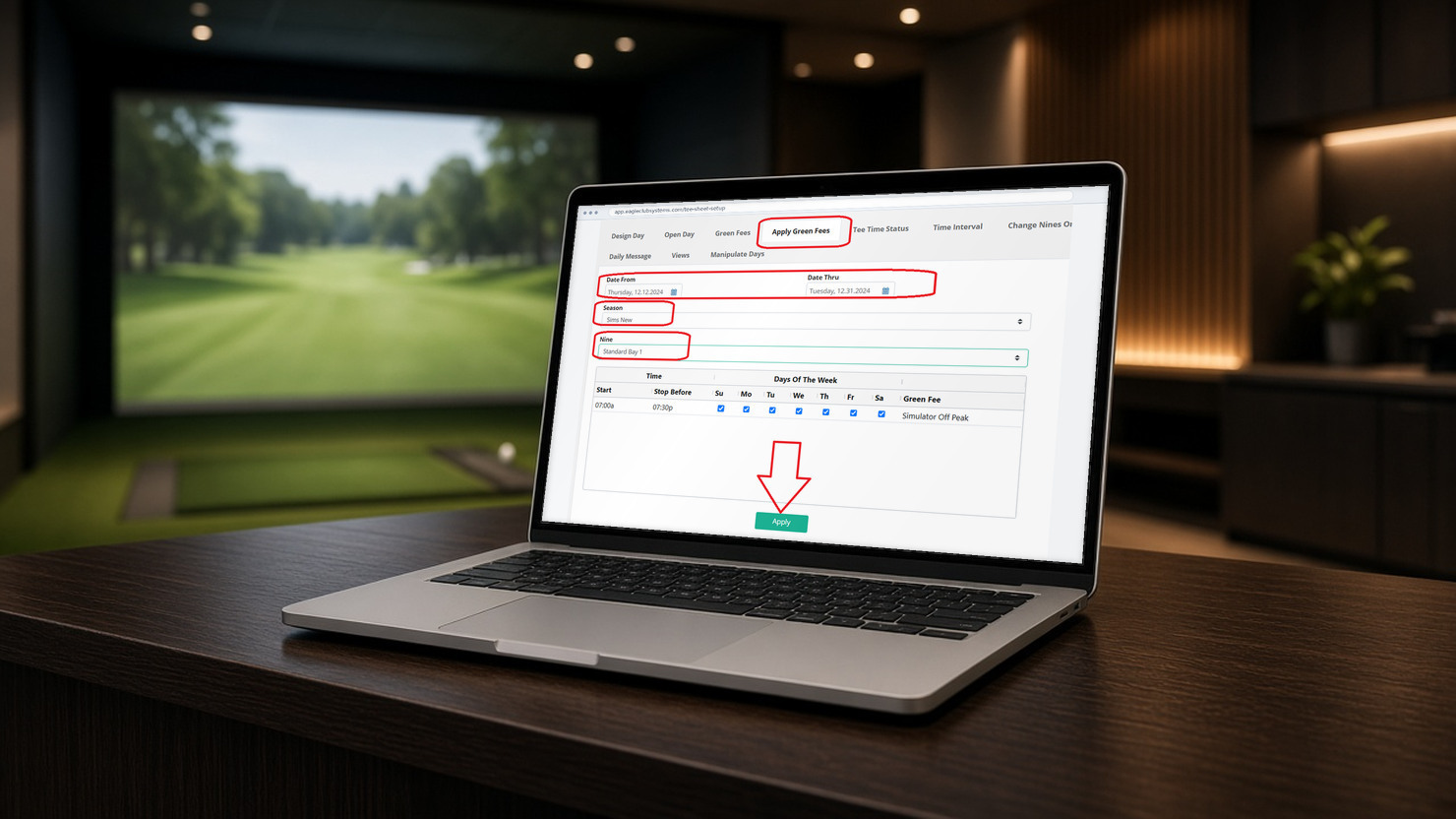
Indoor golf is not an 8-minute outdoor tee interval, but the principle is the same: there is only one unit of inventory. When a player starts checking out on a phone, that bay has to hold in real time so the desk cannot sell it again.
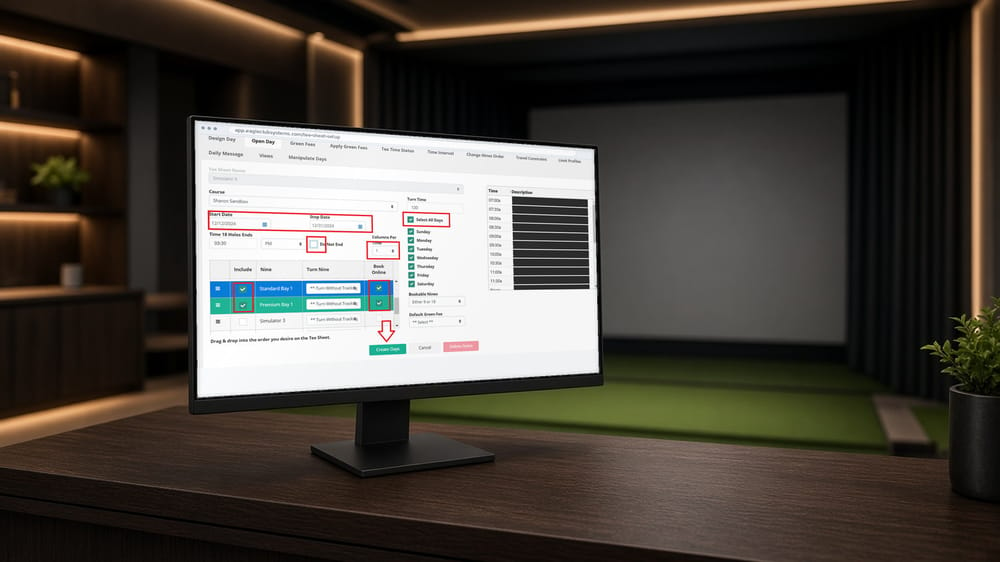
Eagle Club Systems is tee sheet software built for public, private, daily-fee, semi-private, and municipal courses, and for indoor golf simulator facilities that need bay scheduling. The reservation engine, online booking, and the desk all write to the same cloud database. A booking made at 10:00 p.m. on a customer’s phone is already on the staff screen — with the customer record and payment status attached.
Customers should be able to book without calling the desk for every change. Staff should see availability across bays, adjust reservations quickly, and keep member, public, lesson, and event inventory from colliding. Ask the vendor to show prepayment, deposits, cancellation rules, and no-show handling on the same sheet, not in a side policy document.
One honest limit: Eagle Club Systems is cloud-based and cannot run fully offline. A tested hotspot or LTE backup is the right plan when the primary connection fails, the same as it is for an outdoor shop.
POS, food and beverage, and memberships belong on the same visit
A simulator business rarely survives on bay rental alone. Beer sales, shareable plates, retail, lessons, and event deposits are what turn a busy night into a profitable one. If those sales happen on a separate register, you will know the bays were full and still not know whether the night made money.
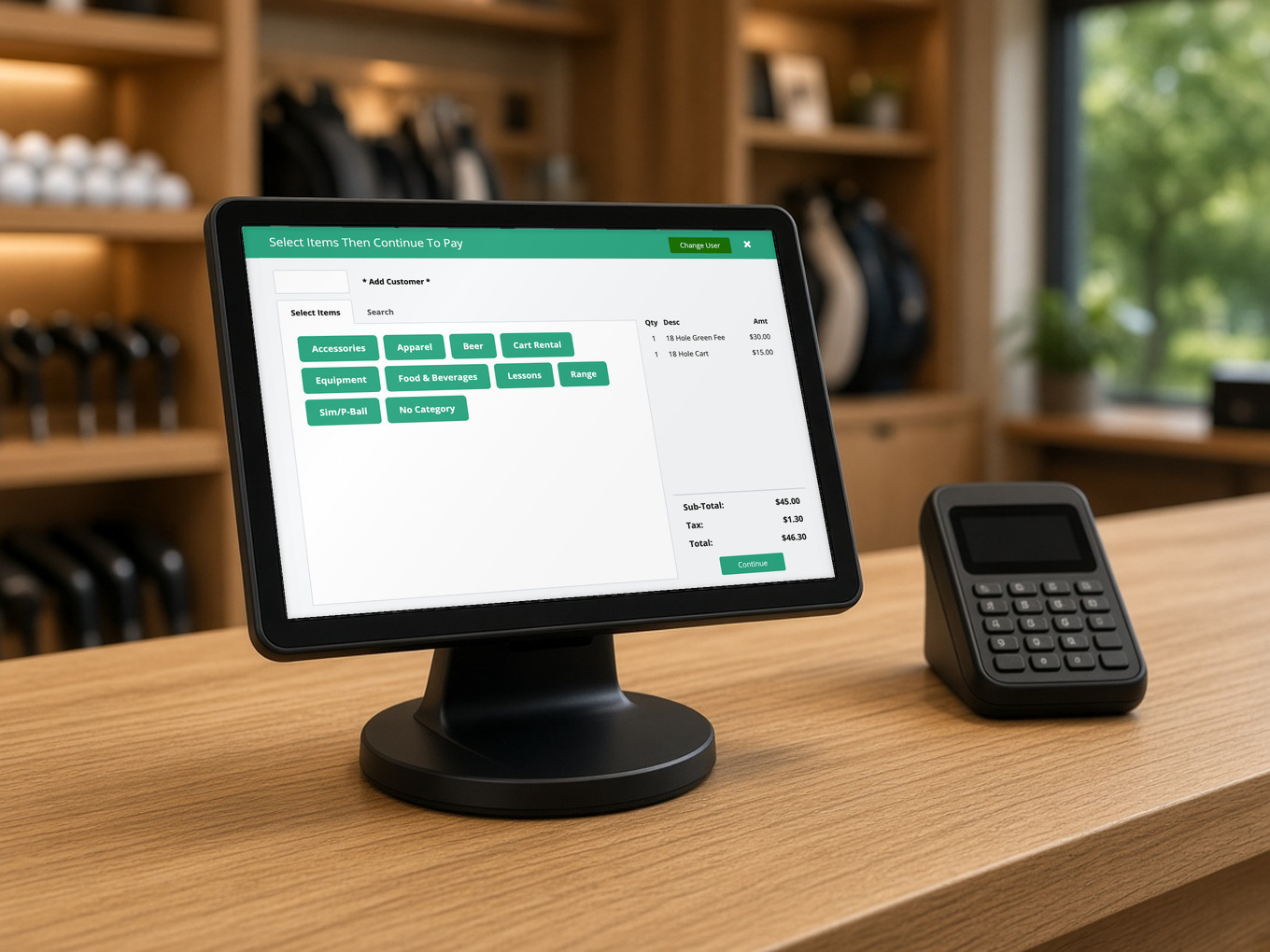
That is why I want the food and beverage POS, pro shop inventory, and the reservation on one customer account. Tabs, split tenders, house accounts, and member charges are normal in this environment. Membership billing should draft recurring dues and keep package balances visible at checkout, instead of asking the guest to remind the cashier.
Inventory should deduct when the item is sold, whether it is a glove, a sleeve of balls, or a keg moving through the bar. Eagle Club Systems does not include a native online merchandise store. Gift cards and memberships can be sold online through integrated payment processing; retail and F&B inventory are managed at the facility through the POS.
If you run leagues or outings, be equally direct with every vendor. Eagle Club Systems handles tournaments and leagues through Golf Outing Guru and Golf League Guru alongside the tee sheet, rather than as a built-in events suite. That is a fair question to put on the table in a demo, not a surprise after you sign.
Reporting should answer utilization and profit
Full bays are not the same thing as a healthy business. Maybe Friday nights look sold out because you are underpricing the prime window. Maybe food-and-beverage attachment is weak. Maybe no-shows are eating inventory you thought was booked. If reservations, sales, and memberships do not share a database, you are guessing.
Golf course reporting only helps if a manager can see revenue by category, member versus public play, unpaid balances, and — for a simulator venue — utilization by bay and daypart without building a spreadsheet at midnight. Marketing belongs in the same picture. CRM, email, and operational SMS should start from who actually booked, played, or went quiet, not from a list that was exported last spring. Managed marketing is a paid add-on, not part of the software itself.
What to make the vendor prove before you switch
Do not buy golf simulator business software from a feature list. Bring your actual Friday-night mess to the demo.
- Book a public hourly rental, a member visit, and a lesson or event block on neighboring bays, then move one group without breaking the others.
- Start an online booking for a prime evening slot and confirm the desk cannot double-sell it.
- Open an F&B tab, add retail, and close with a split tender or a membership package.
- Show a no-show, a cancellation refund, and a rain-check or club credit if you use them.
- Run the reports you would take to an owner meeting the next morning.
- Ask who converts your customer, membership, and future-reservation data, how long go-live takes after that data is provided, and what support hours look like on a Saturday.
On Eagle Club Systems, implementation and data conversion are included at no charge, there are no long-term contracts, and most courses go live in under two weeks after data is provided. Support is U.S.-based, seven days a week, typically 6 a.m. to 10 p.m. We do not claim 24/7 coverage, and we do not publish a self-serve price table. Book a demo with your bay layout, rate sheet, and a real Friday ticket, and we will run those tests live.
The right golf simulator business software should make the desk faster, the close cleaner, and the numbers believable. If your current setup makes a sold-out night harder than it should be, the issue may not be staffing or demand. It may be that the software was never built for the way an indoor golf operation actually runs.
FAQ
What is golf simulator business software?
Golf simulator business software is the system an indoor golf facility uses to schedule bays, take online reservations, run point of sale and food and beverage, manage memberships or packages, and report on utilization and revenue from one customer record — not a standalone calendar with a separate register.
Can Eagle Club Systems schedule simulator bays, not just outdoor tee times?
Yes. The Eagle Club Systems tee sheet is built for traditional golf courses and for indoor golf simulator facilities that need bay scheduling. Online booking, the desk, and the POS share the same database, so a reserved bay is live inventory, not a later sync.
Does golf simulator booking software need to include food and beverage?
If you sell food, beverages, or retail, yes — or you will reconcile two systems every night. Eagle Club Systems connects golf POS and food and beverage to the same customer account as the reservation, including tabs, split tenders, and member charges.
How are leagues and events handled?
Ask every vendor to show the exact workflow. Eagle Club Systems handles tournaments and leagues through Golf Outing Guru and Golf League Guru alongside the tee sheet, rather than as a native events module. Confirm how those reservations appear on your bay sheet before you sign.
How long does it take to switch golf simulator management software?
It depends on how quickly you can provide data. On Eagle Club Systems, implementation and data conversion are included at no charge, and most courses go live in under two weeks after data is provided. Get a written conversion and training plan, and confirm your current vendor’s export format, before you sign.