
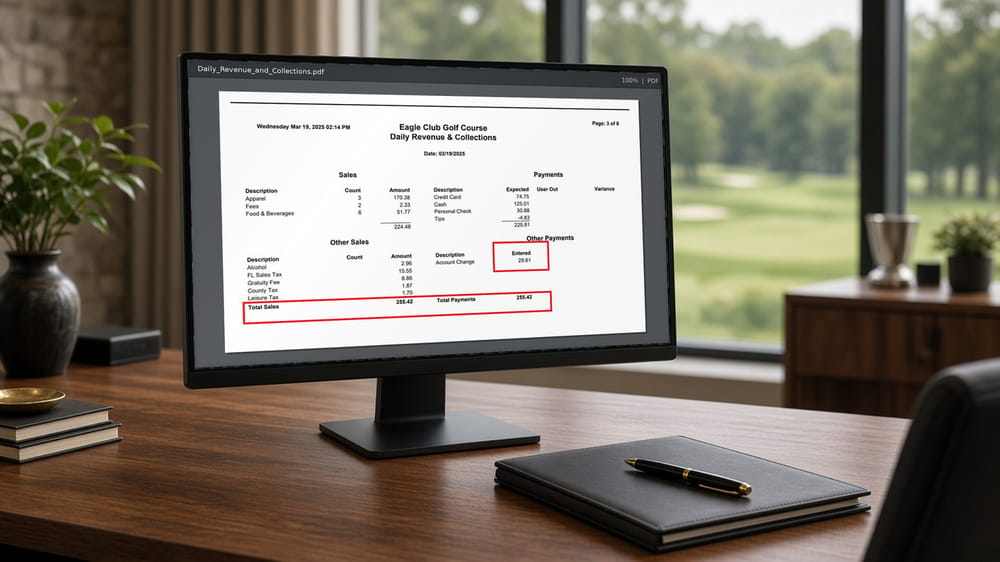
The point of golf course reporting is not more charts. It is confidence that the numbers in the software match the numbers in accounting, and that a manager can see how the day performed before the next morning, not after a week of exports.
I have spent more than 24 years in golf operations, and I have sat through enough month-ends to know when a report is useful and when it is a second job. Our golf course reporting page covers the module. This guide is the close: the operational reports a shop and a restaurant need, and the management reports an owner, a board, or a city should be able to trust.
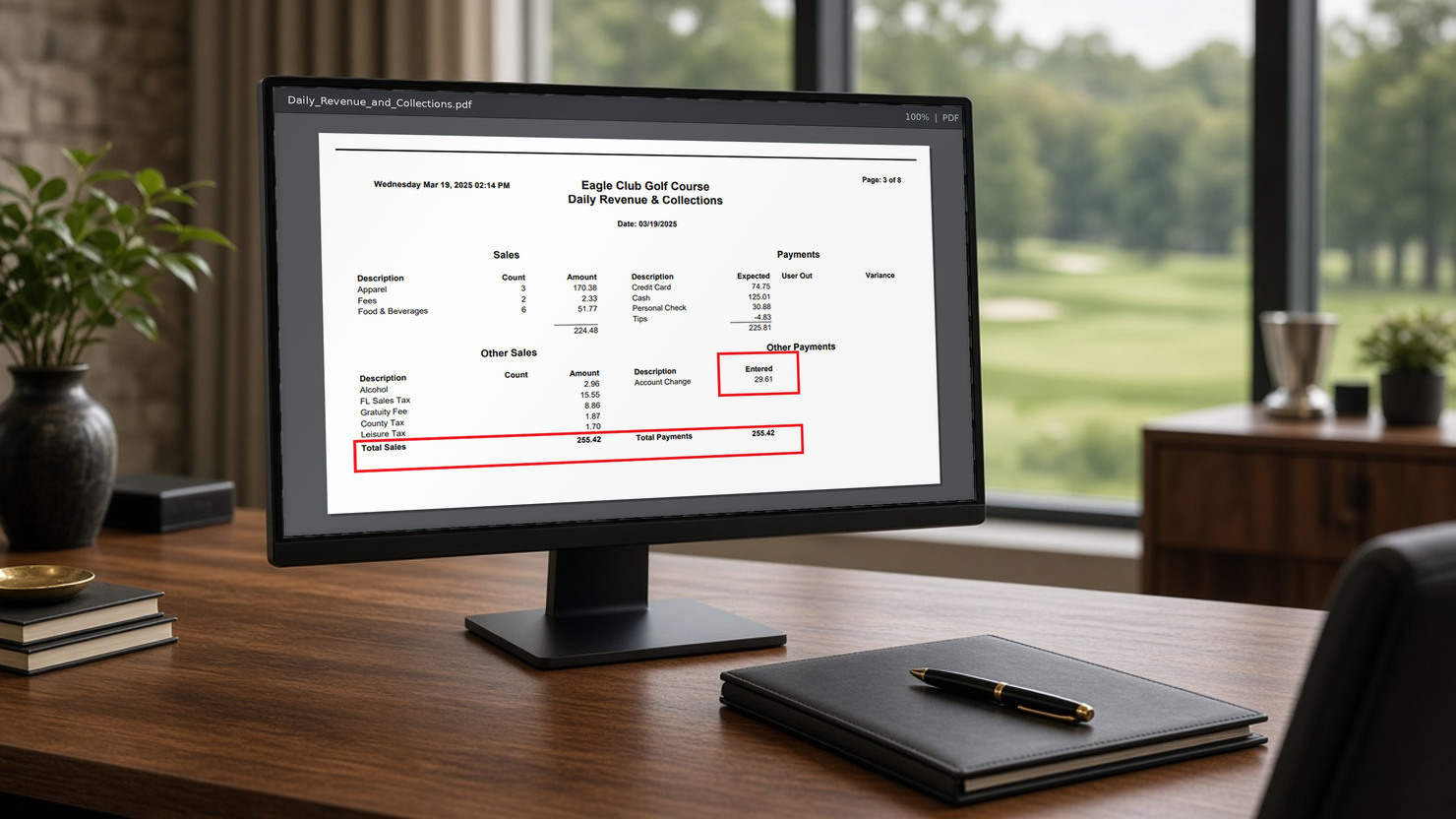
Picture a Sunday morning after a busy Saturday. Cash is counted, credit batches are settled, a few tickets were voided, and a member charge is still sitting in a tab. If the Z-out, the sales report, and the tee sheet’s rounds cannot be laid next to each other, someone will spend the morning reconciling instead of getting ready for the next wave. That is a software problem, not a work-ethic problem.
Start with a close that the register can defend
The daily close should answer a short list of questions: what we sold, how it was paid, what is still open, and whether the drawer matches. Look for payment, tax, gratuity, and Z-out reports, plus a user-out or cashier close when more than one person has been on a register.
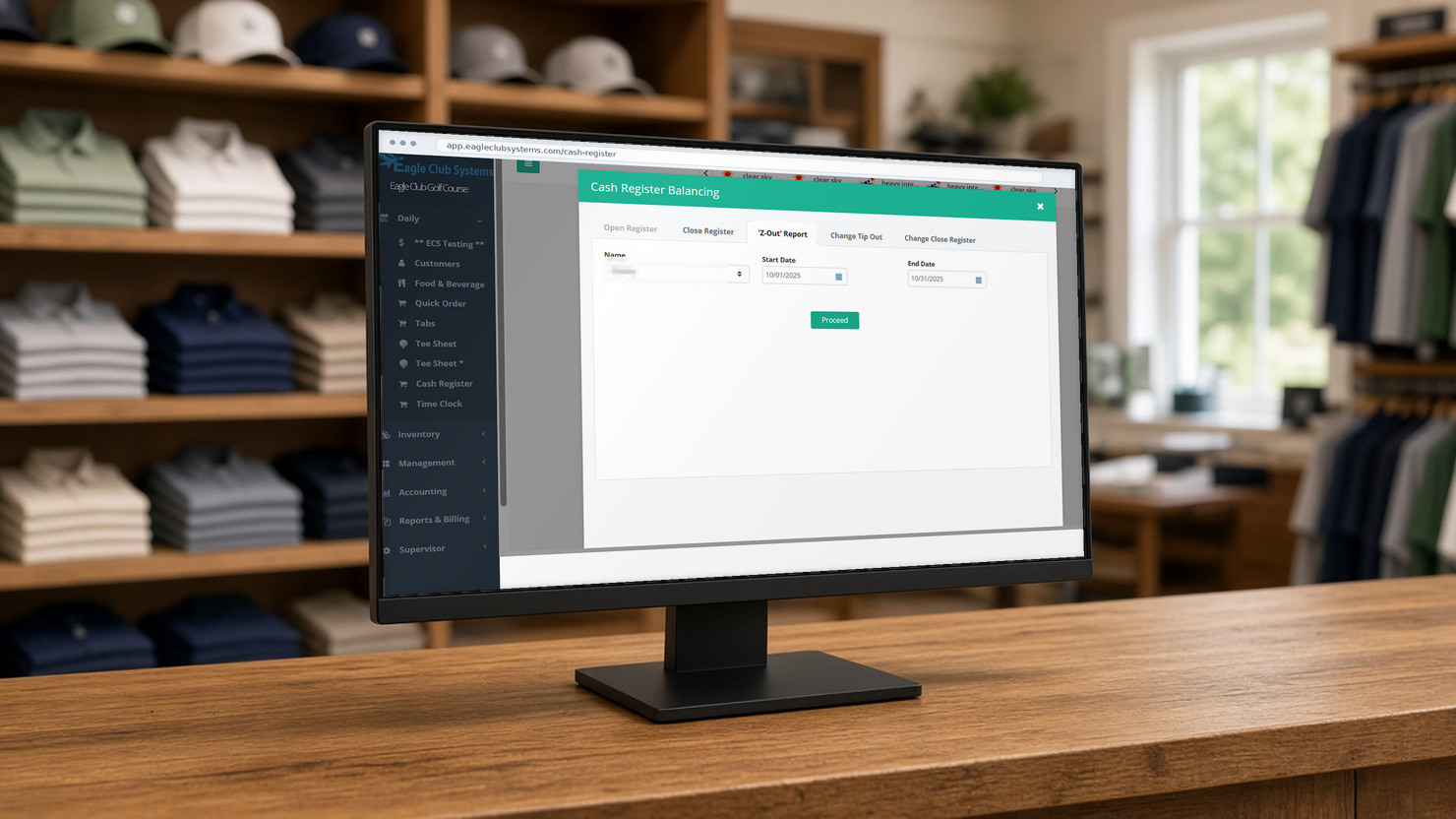
On Eagle Club Systems, Z-out is part of Cash Register Balancing, alongside opening and closing the register. Payment, tax, gratuity, and Z-out reports are listed among the operational reports a golf shop and restaurant need. Run them in a demo with a messy ticket (a void, a split tender, a tip, a member charge), not with a perfect sample day.
Then look at sales, rounds, and utilization together
A close tells you whether the drawer balanced. It does not tell you whether the day was a good golf day. For that you need sales by department and category, rounds, and utilization, including the day-parts and player profiles that actually matter.
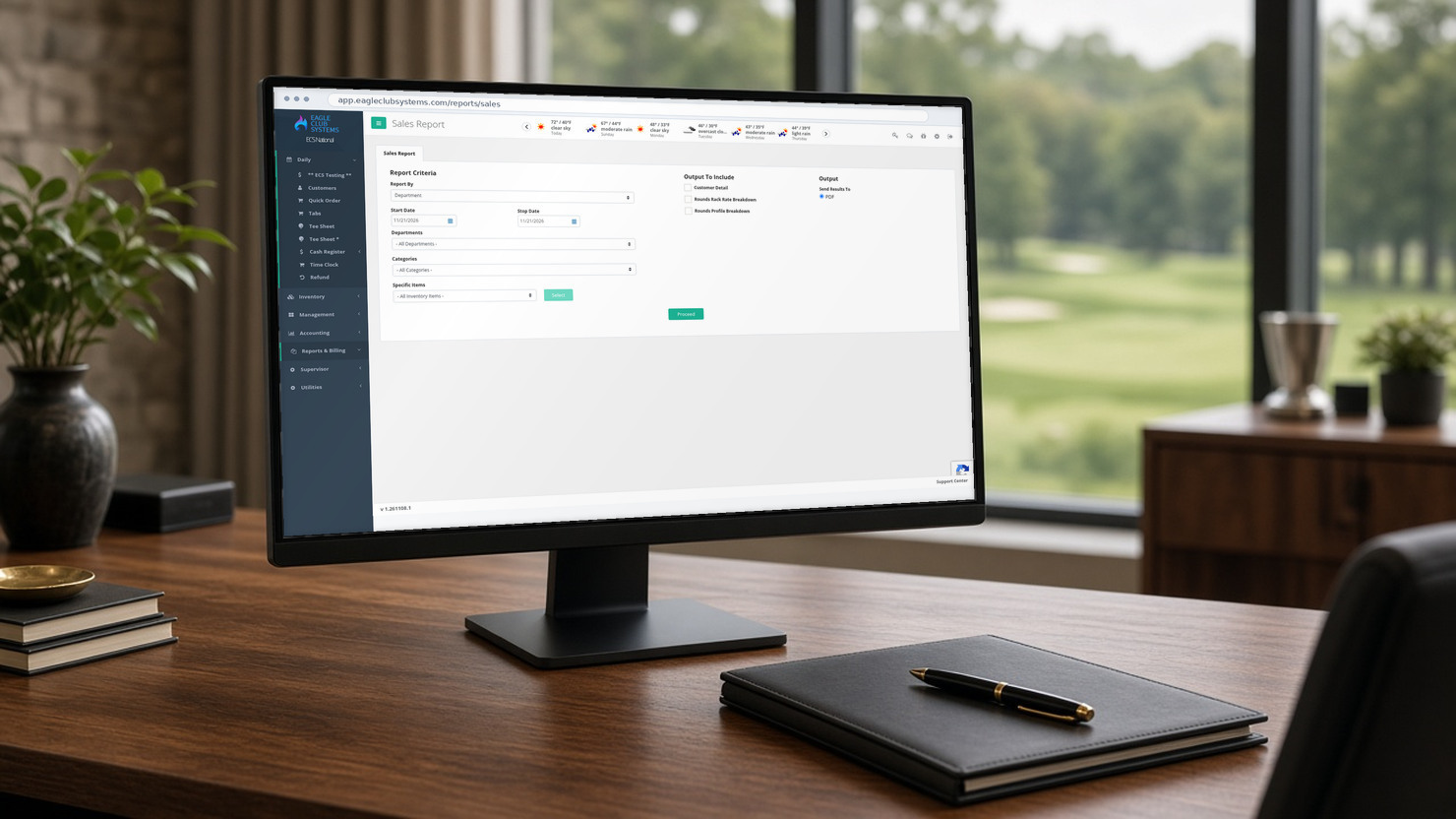
The Sales Report in Eagle Club Systems can be filtered by department, category, and item, with optional customer detail and rounds breakdowns by rack rate and by profile, and output to PDF. That is how you see whether a busy-looking Saturday was public prime, member play, or a lot of discounted twilight. Inventory and margin reporting belong in the same conversation when you need to know whether the shop or the grill made money, not just whether it was busy.
The tee sheet, POS, and food and beverage have to share a database. If they do not, you will always be comparing three exports.
Membership, A/R, and accounting should not be a weekend project
Membership billing produces dues, house charges, and outstanding balances that a controller still has to see. Reporting should include accounts receivable alongside everyday sales. Eagle Club Systems also integrates with QuickBooks Online, and can export to QuickBooks Desktop and Sage 50; many reports can be exported and uploaded into other accounting software as well.
The online booking engine integrates with Google Analytics 4, so you can measure the customer journey before a tee time ever reaches the sheet. That is reporting too, just earlier in the visit.
What to bring to a reporting demo
Bring the packet you already use: a Z-out, a sales recap, a rounds or utilization view, and whatever you send to accounting.
- Close a register with mixed tenders, a tip, and a member charge, then show the Z-out.
- Run sales and rounds for the same day, including a profile or rate breakdown.
- Show outstanding member balances or A/R.
- Export or open the file you would send to QuickBooks, Sage 50, or your accountant.
- Ask how live the numbers are, whether you are looking at today or at last night’s batch.
On Eagle Club Systems, implementation and data conversion are included at no charge, there are no long-term contracts, and most courses go live in under two weeks after data is provided. Support is U.S.-based, seven days a week, typically 6 a.m. to 10 p.m. We do not claim 24/7 coverage, and we do not publish a self-serve price table. Book a demo with your close packet, and we will run those reports live.
If your current reports only agree after someone has “fixed” them, the issue is not the closer. It is that the sheet, the register, and accounting never shared a set of numbers.
FAQ
What reports should a golf course run at the daily close?
Payment, tax, gratuity, and Z-out (or equivalent register close), plus enough sales and rounds detail to explain the day. If you have more than one cashier, include a user-out or similar per-user close.
Does Eagle Club Systems include real-time reporting?
Yes. Reporting is real-time across the tee sheet, POS activity, customer data, memberships, and food and beverage sales, with exports to spreadsheet, PDF, or other tools.
Can we break out rounds and sales by player profile or rate?
Yes. The sales report can include rounds rack-rate and rounds profile breakdowns, and operational reporting is designed to show how the course performed, not just what one register sold.
Does reporting connect to QuickBooks or Sage?
Eagle Club Systems integrates with QuickBooks Online and can export to QuickBooks Desktop and Sage 50. Many reports can also be exported and uploaded into other accounting software.
What if our shop and restaurant currently close in different systems?
That is the problem a connected platform is meant to solve. If F&B and the golf shop cannot be read together, the daily close will always be a reconstruction. Ask the vendor to run both in one demo. ---