A golf course restaurant has a job a typical restaurant never faces. The same people eating lunch may already have a tee time, a cart, a member number, and a beverage-cart tab out on hole 14. If the grill ticket, the shop ticket, and the round live in separate systems, the close becomes a reconstruction project.
I have spent more than 24 years in golf operations, and I have watched good F&B teams work harder than they should because the register could not open a tab, fire a ticket, or attach a member charge without a workaround. Our food and beverage and golf POS pages cover what the modules include. This guide is the operational test — what a golf course restaurant POS has to do during a real Saturday, from the kitchen to the beverage cart.
Picture a Saturday at noon. A four-ball wants to start a tab at the turn, a burger needs to reach the kitchen with the right modifiers, and a member on the back nine is waving down the beverage cart. If the restaurant register cannot see the same customer the tee sheet just checked in, staff will create a second name, the charge will land in the wrong place, and somebody will spend Sunday morning matching tickets.
Tabs, modifiers, and tickets the kitchen will actually cook
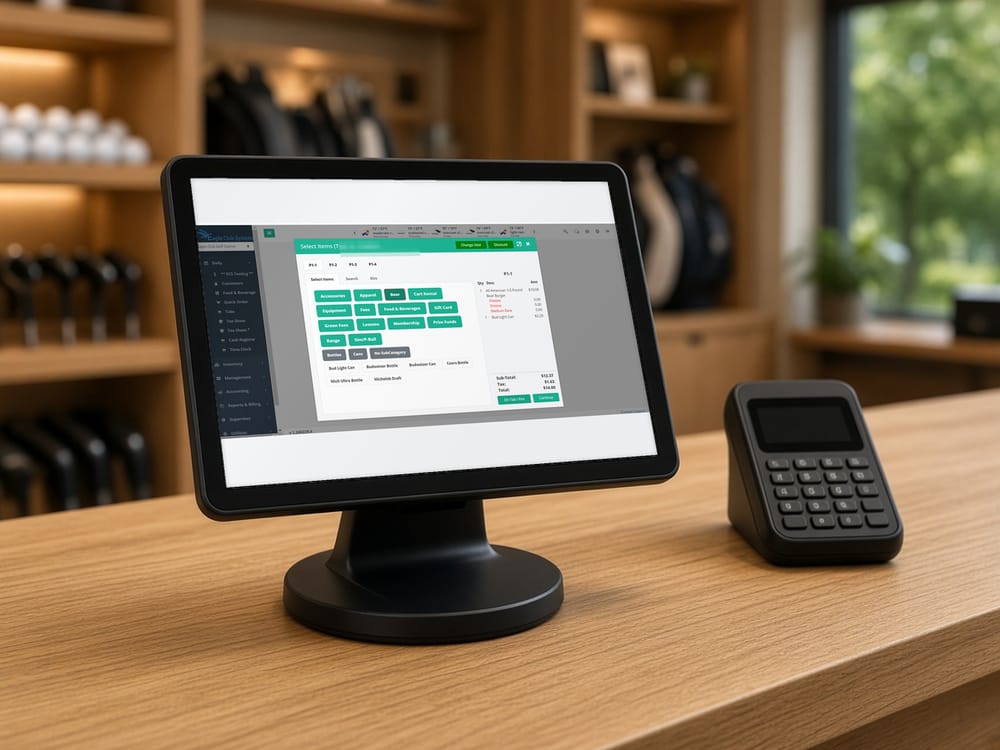
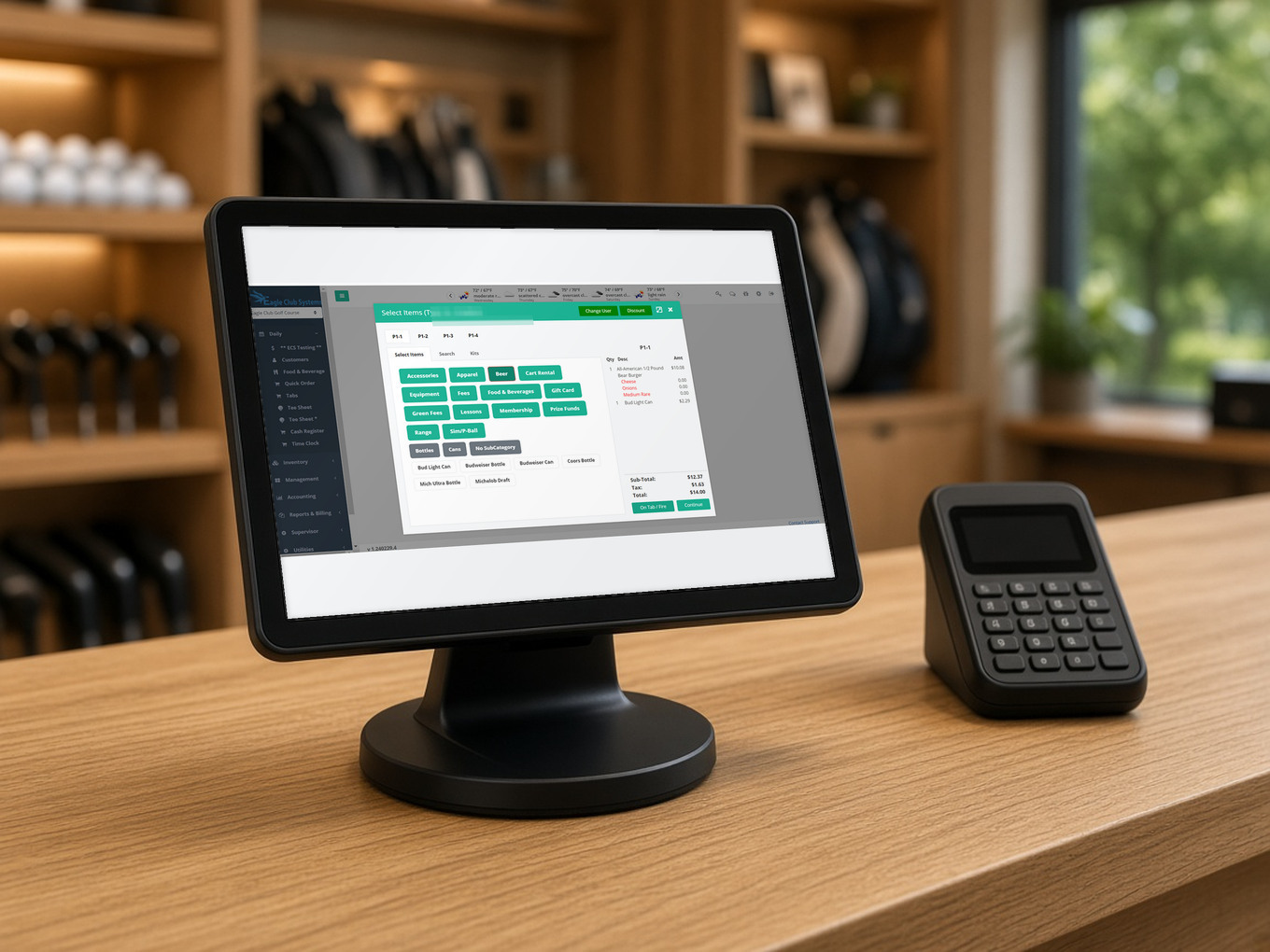
The first test is not a feature list. It is whether a server can open a tab, add items, and send food to the kitchen without leaving the ticket.
Look for:
- Open tabs tied to a table, a name, or a tee time. A group should be able to keep ordering without closing after every round of drinks.
- Modifiers that carry a price and a tax when they need to. Cheese, a temperature, or a side should print clearly, not as a vague note.
- Kitchen ticket printing. Food should fire to the kitchen while the tab stays open. Eagle Club Systems does not currently claim a kitchen display system or table maps, so be direct about printers and routing if that is how your line works.
- Meal courses and hold/fire behavior that match how you actually plate, not just a generic retail SKU.
On Eagle Club Systems, staff can open tabs, apply modifiers, assign table numbers, and print kitchen tickets, on the same customer account as the rest of the facility. Support for a Clover handheld app and on-course payments, including Clover Flex, is listed among current options — useful when the “restaurant” is also a patio or a cart.
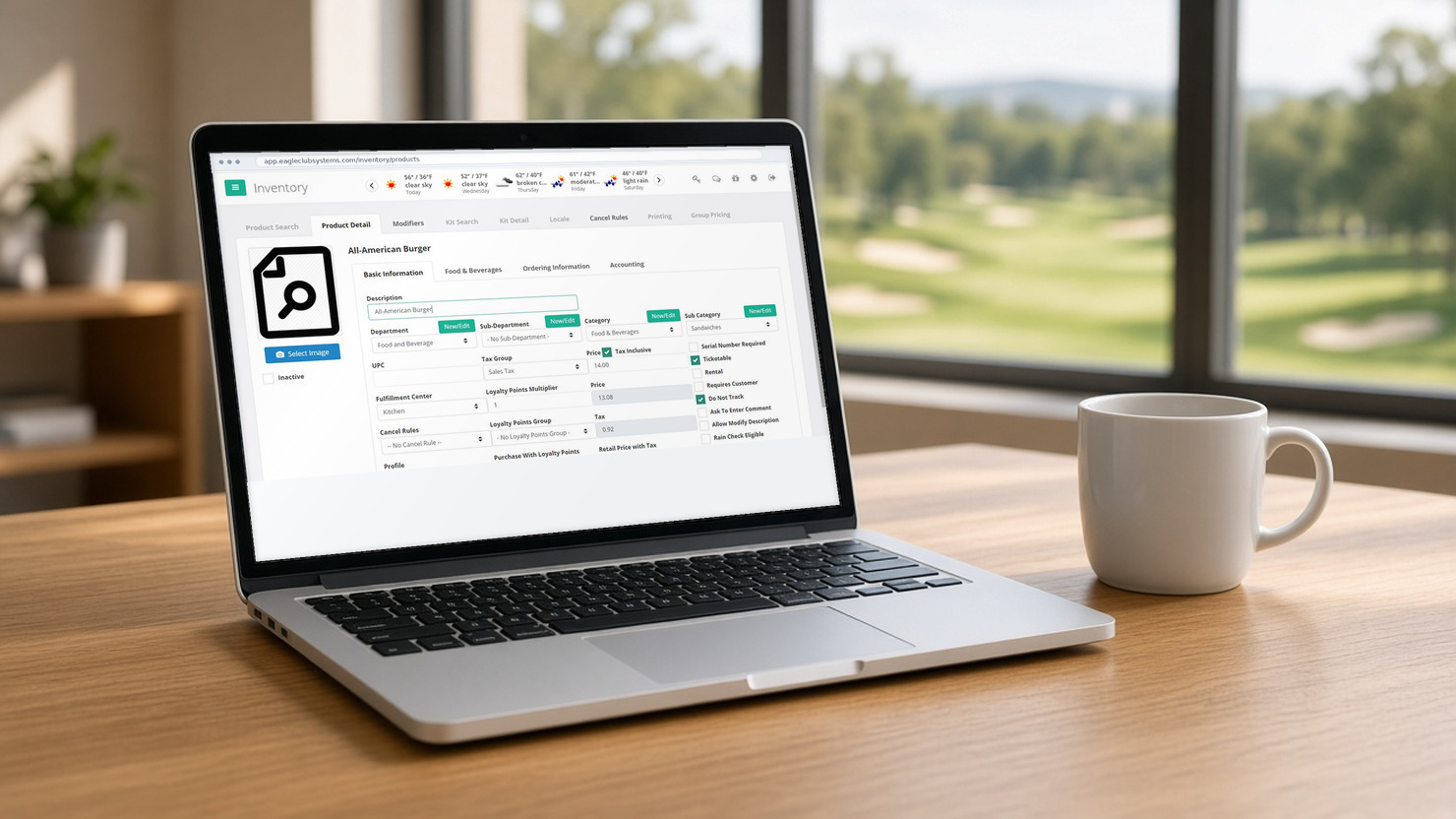
Item setup matters as much as the ticket screen. If a burger is not ticketable, or its fulfillment center is not the kitchen, the line will not see it when the server fires the order. That is a setup habit, not a later reporting fix.
The beverage cart and the patio are still the restaurant
A golf F&B POS that only works at a fixed counter will fail on a busy Saturday. The beverage cart, the turn window, and the patio all need to sell from the same item list and the same customer record.
That means:
- Mobile credit card machines that can take chip, tap, and mobile-wallet payments on the course.
- The ability to charge a member account, close a tab, or take a split tender away from the host stand.
- Inventory that deducts when the can or the hot dog is sold, whether it left the kitchen, the snack bar, or the cart.
Golf inventory management should cover food and beverage as well as the pro shop, so a transfer to the cart is not a sticky note. Eagle Club Systems does not include a native online merchandise store; retail and F&B inventory are managed at the facility through the POS.
Member charges have to land on the same account as the round
This is the difference between a golf restaurant POS and a generic restaurant register. A member who eats, plays, and signs should not be a new customer in the grill.
Membership billing should already know the member, the family members who can charge, and any minimums you enforce. The POS should be able to put the lunch, the beverage cart, and the green fee on that record, then show it on the statement. House accounts, split tenders, gift cards, rain checks, and club credit are normal in this environment — not extras to bolt on later.
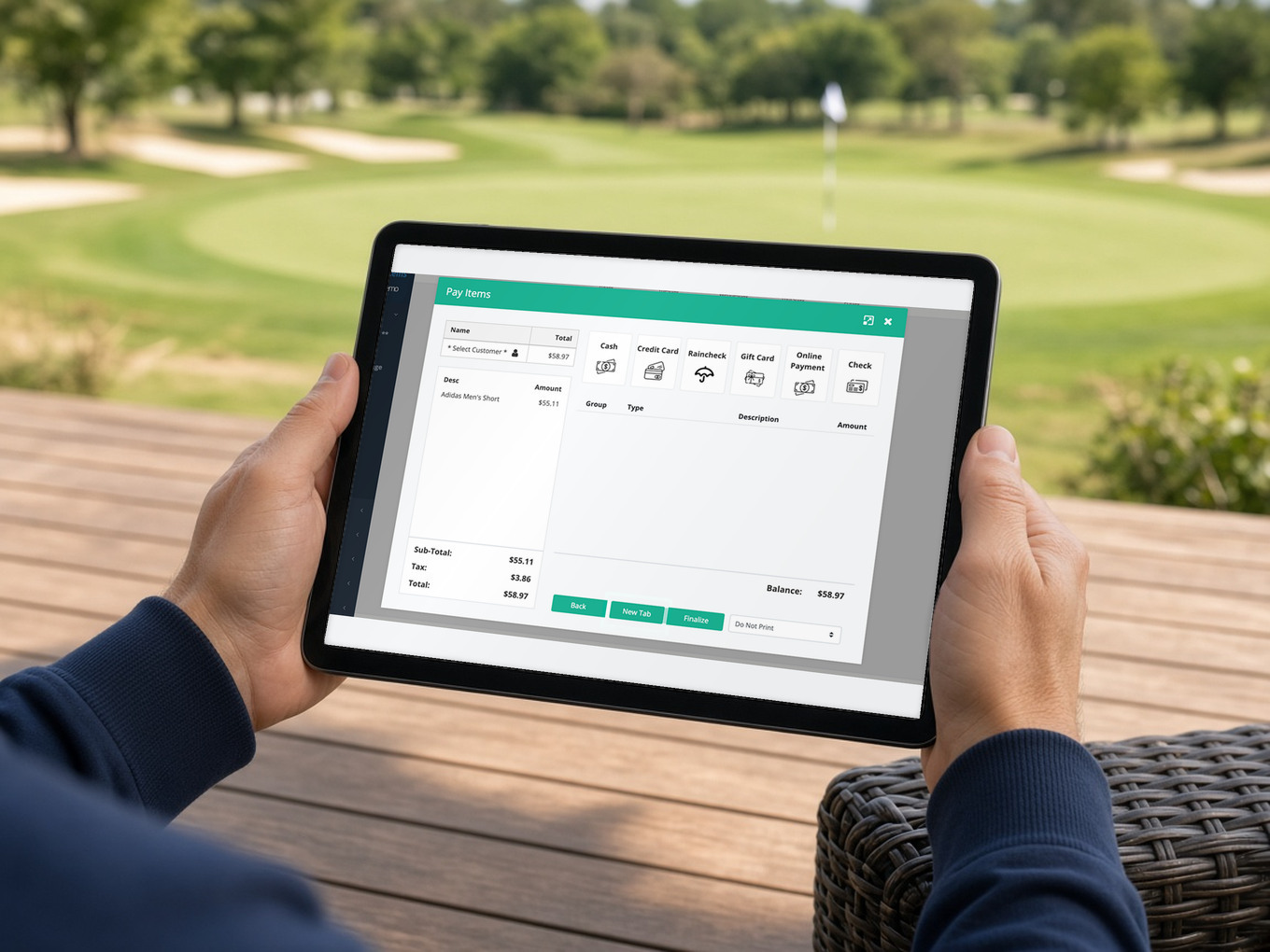
At payment, staff should be able to start a new tab, finalize, or take a tender without reinventing the ticket. The Pay Items screen in Eagle Club Systems includes cash, credit card, rain check, gift card, online payment, and check, with a New Tab option when the group is not ready to close.
CardPointe is available as an integrated payment option, but courses may use another processor on a non-integrated basis. Confirm the exact hardware and the flow you want for the cart before you sign.
The close should agree with the shop and the tee sheet
If restaurant sales, pro shop sales, and rounds cannot be read together, you will know the grill was busy and still not know whether the day worked. Golf course reporting should include payment, tax, gratuity, and Z-out reports, plus sales and utilization that span the facility. The tee sheet and the POS need to share a database so a checked-in golfer and a lunch ticket are the same visit.
For a broader POS buying checklist — hardware, browsers, and the shop as well as F&B — see our golf course POS system buying checklist. Eagle Club Systems runs on desktops, laptops, and tablets with Windows or Mac, through modern browsers such as Chrome, Safari, Edge, or Firefox. It is cloud-based and cannot run fully offline; a tested hotspot or LTE backup is the right plan when the primary connection fails.
What to bring to a restaurant POS demo
Bring a typical Saturday ticket, a member-charge example, and however you fire food today.
- Open a tab for a four-ball, add modifiers, and fire a kitchen ticket without closing the check.
- Charge a member account and a split tender, then show where that lunch appears on the member record.
- Ring a beverage-cart style sale and confirm inventory moved.
- Run the Z-out or daily close you would hand a manager, including tips and tax.
- Ask how table numbers, handhelds, and on-course payments work with your actual layout. If you need a kitchen display system or a floor map, get a direct answer — Eagle Club Systems does not currently claim those.
On Eagle Club Systems, implementation and data conversion are included at no charge, there are no long-term contracts, and most courses go live in under two weeks after data is provided. Support is U.S.-based, seven days a week, typically 6 a.m. to 10 p.m. We do not claim 24/7 coverage, and we do not publish a self-serve price table. Book a demo with a real ticket and your member-charge rules, and we will run those tests live.
A golf course restaurant POS should make the Saturday rush faster and the Sunday close quieter. If your current register cannot keep the grill, the cart, and the round on one account, the issue is not your staff. It is that the software was never built for how a golf facility actually serves people.
FAQ
What should a golf course restaurant POS include?
At a minimum: open tabs, modifiers, kitchen ticket printing, member charging, and the ability to take payments at the counter, on the patio, or on a beverage cart — on the same customer account as the tee sheet and pro shop.
Can Eagle Club Systems run food and beverage and the golf shop in one system?
Yes. Food and beverage POS covers the restaurant, bar, snack bar, and beverage cart, and it shares a customer record with the golf POS and the tee sheet. Inventory tracking can cover both F&B and pro shop items.
Does Eagle Club Systems include a kitchen display system?
No. Eagle Club Systems supports kitchen ticket printing, table number assignment, modifiers, and handheld options, but it does not currently claim a kitchen display system or table maps. Ask about your exact routing in a demo.
Can we take payment on the beverage cart?
Yes. Mobile credit card machines, including Clover Flex support, can accept chip, tap, and mobile-wallet payments on the course. Member charges and tabs should still land on the same account.
Do we have to use CardPointe?
No. CardPointe is available as an integrated option, but courses may choose another processor and use it on a non-integrated basis. Confirm settlement and hardware in a written proposal. ---